
Sharing a Cart
This guide walks you through the steps to share a cart with patients who have a payment responsibility for their procedure or who want to access Care Credit financing.
Depending on your company's settings, the shared cart feature may not be available. If you do not have access to this feature and would like it enabled, please reach out to your account manager.
You can share a cart with a patient once you have found and added the specific procedure(s) to the shopping cart at the top right side of your screen. If the cart doesn't display, click the cart icon in the upper right corner.
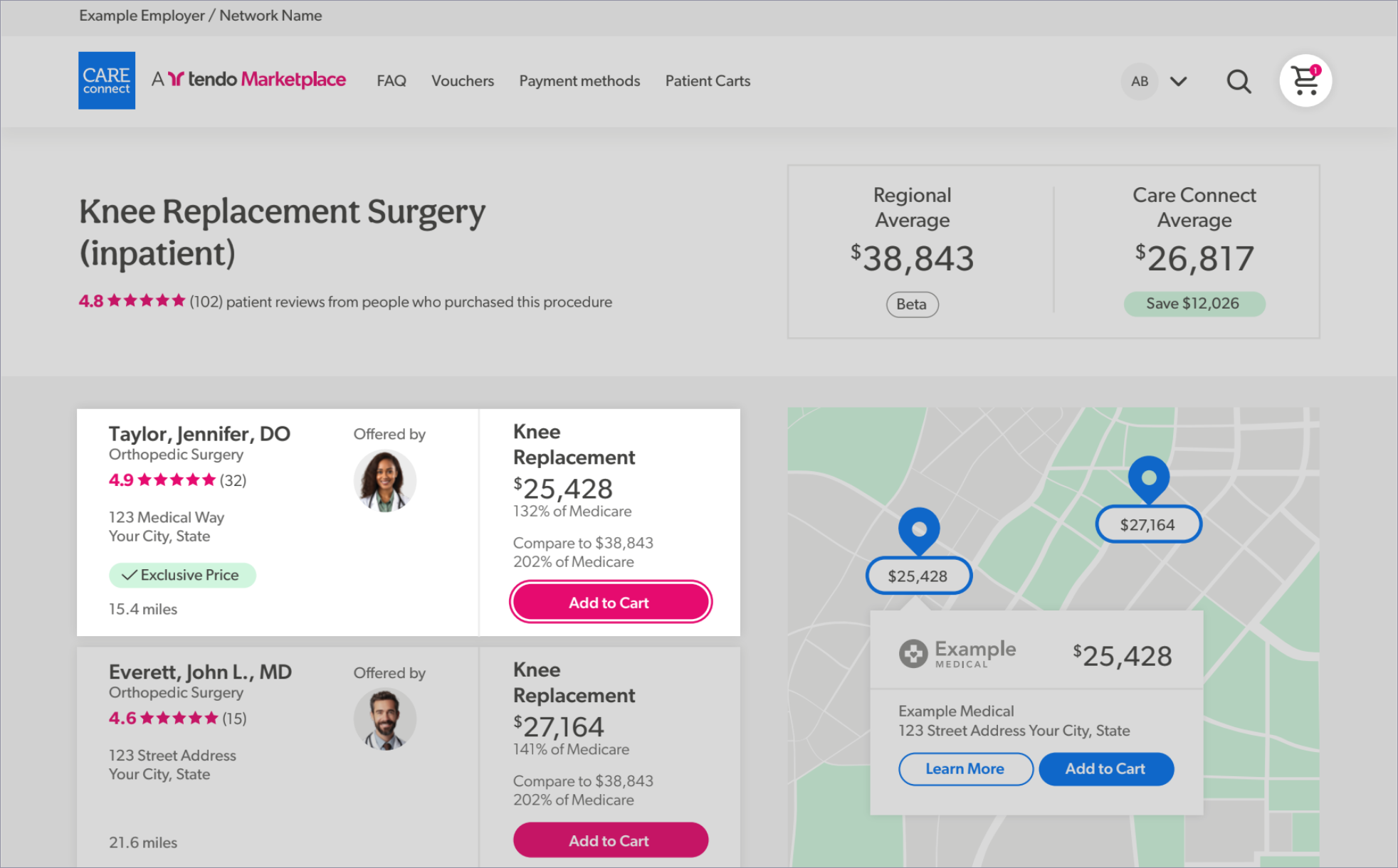
Share the Cart with the Patient
Under the Checkout button, click the Share with Patient button to open the Share with Patient popup form.
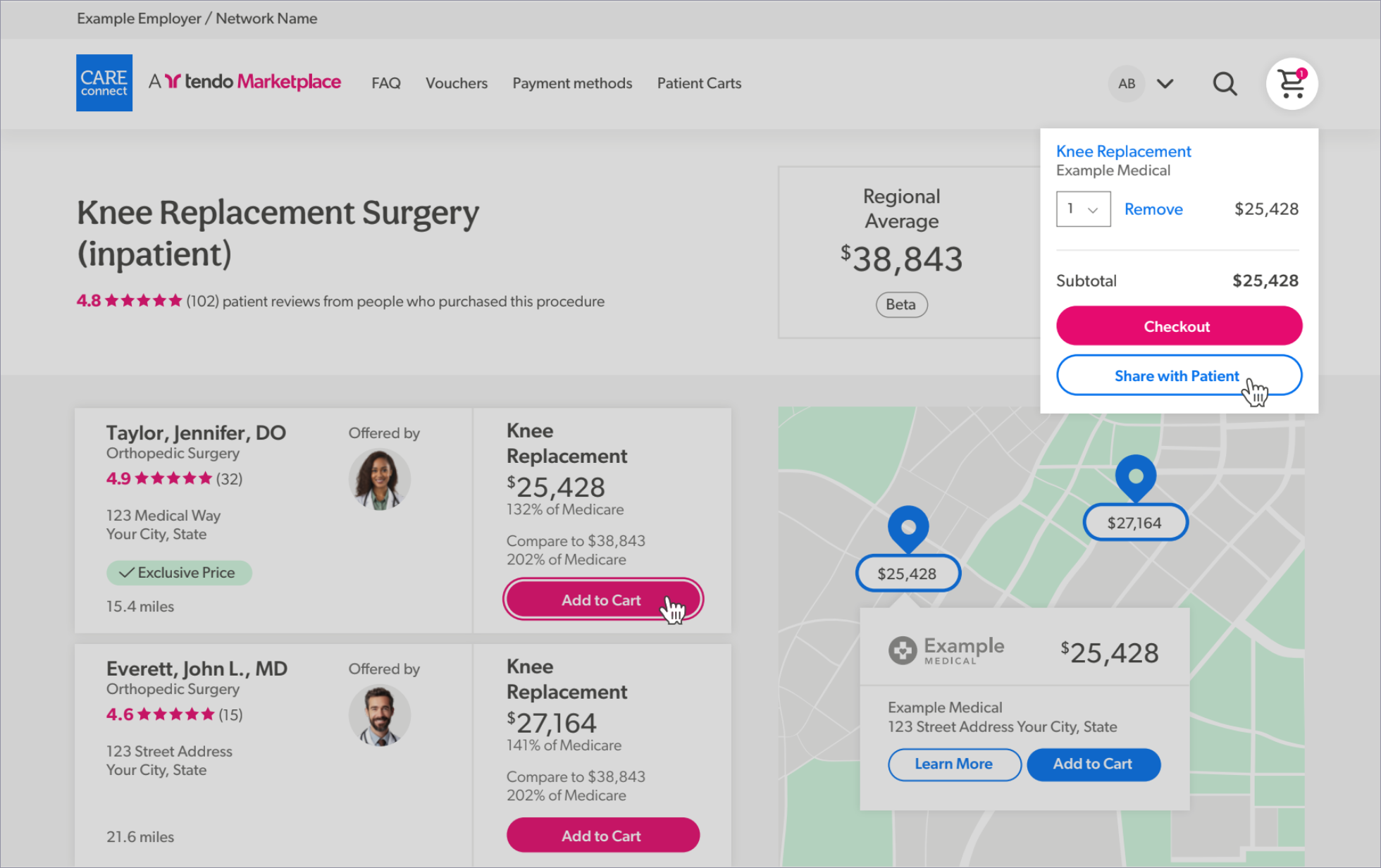
Complete the Share with Patient Form
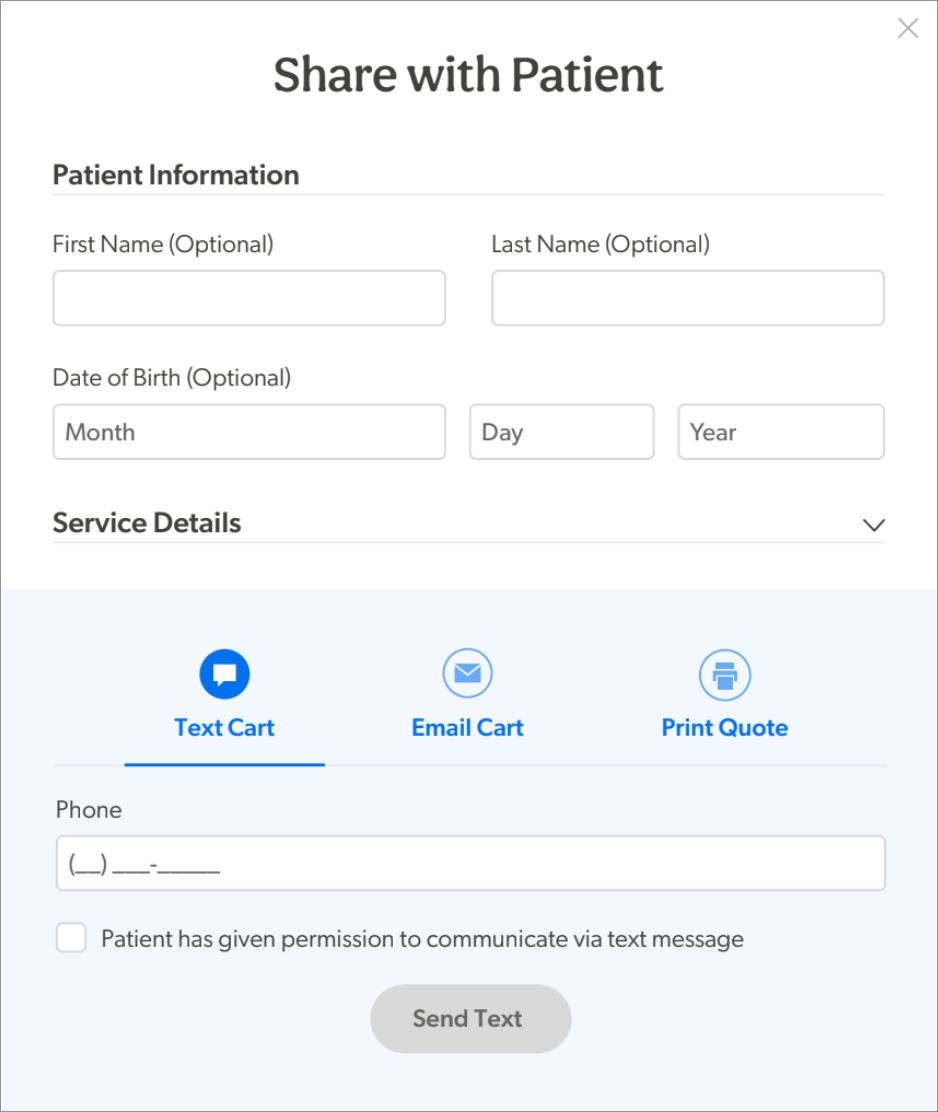
• Fill out the form with the patient’s information (optional).
• Choose to email or text the cart directly to the patient, then enter their contact information for that channel. Ask the patient for permission to communicate with them via email or text message, and then use the channel for which they have granted permission.
Split Payment
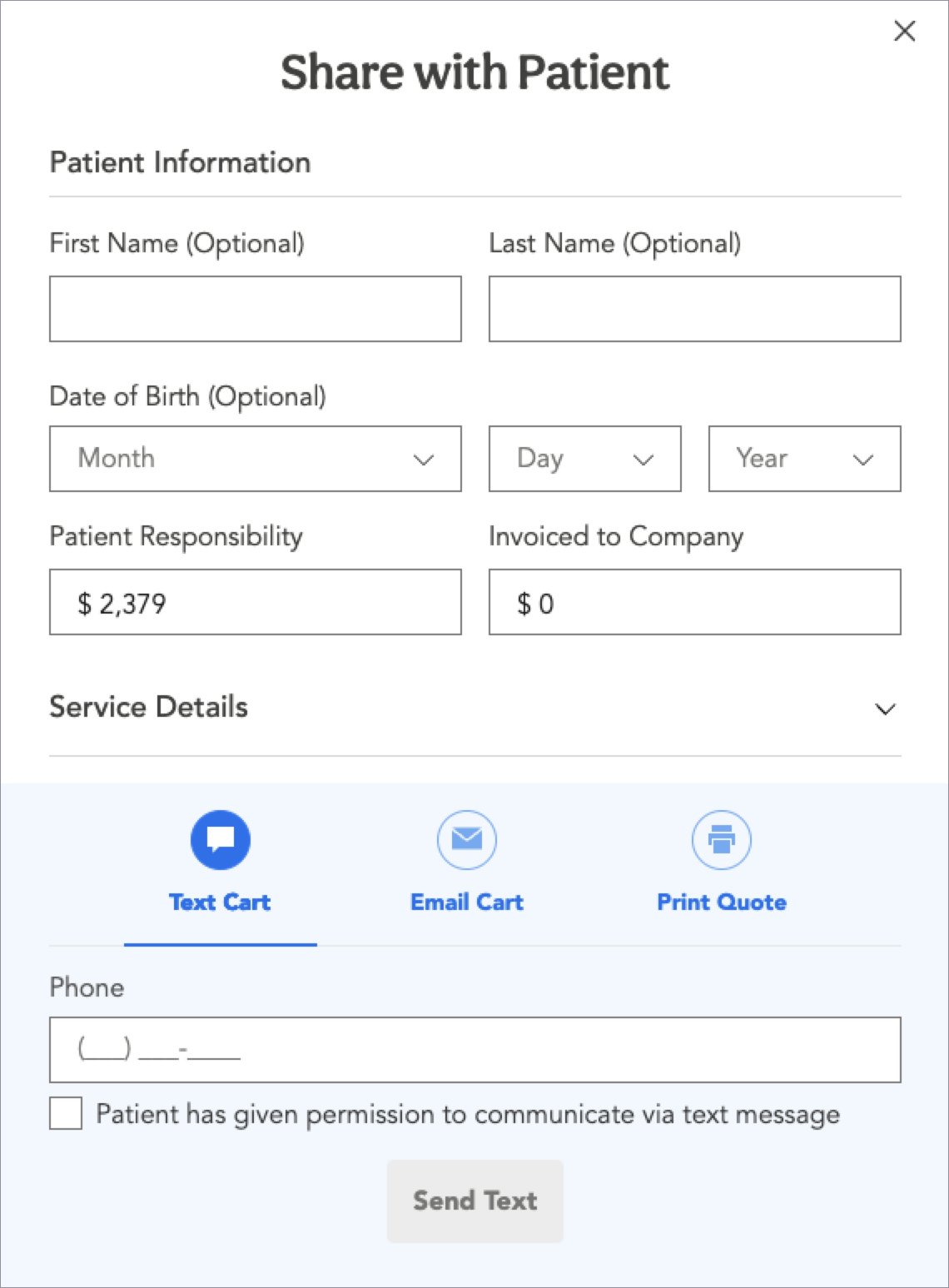
Your company can share a shopping cart with a patient when the patient pays a portion of the total amount and the remainder goes to the company’s invoice.
If your company is not set up to do this and would like to be, please contact your account manager. When this feature is enabled, a shopping cart can be sent to a patient that includes their portion of the payment cost. They can pay it with one or more credit cards.
When the feature is enabled, the Share with Patient form will include fields in which you can enter the patient responsibility and the amount to be invoiced to the company.
Patient Receives Cart
Your patient will receive the cart and can complete their part of the purchase using any of these secure, private payment options, including:
- Credit or debit card, with the option to pay with multiple cards, Health Savings Account (HSA) card, Flexible Spending Account (FSA) card, or Health Reimbursement Arrangement (HRA) card
- Care Credit Credit Card
- PayPal, including Pay in 4 option
When the healthcare has been given and the provider has redeemed the voucher, the company will be invoiced for their financial responsibility in the next invoice.
That’s it! Sharing a cart is a fast and easy way to give your patients access to payment options that suit their needs.
Questions? Contact your account manager or the Customer Operations team:
customeroperations@tendo.com or 844-256-7696 Monday–Friday from 7am to 5pm CT.